Building REST APIs for AI Consumption
Design APIs that AI agents can discover, understand, and use correctly without hallucinating endpoints or misinterpreting parameters. Transform your data layer into an AI-ready interface using DreamFactory's AI Data Gateway.
🎯 Overview
Most REST APIs were designed for human developers who can read documentation, understand context, and make intelligent assumptions. AI agents don't have these luxuries. They need APIs that are self-explanatory, predictable, and bounded, or they'll hallucinate endpoints, misinterpret parameters, and return incorrect data.
This module teaches you how to design and implement REST APIs specifically optimized for AI consumption, using DreamFactory's auto-generated endpoints as the foundation.
What You'll Learn
- Why traditional API design patterns fail with AI agents
- The four core principles of AI-friendly API design
- How DreamFactory auto-generates AI-optimized endpoints from your database
- Query parameters that AI agents understand intuitively
- Response structures that include the metadata AI needs
- Real-world code reduction from custom APIs to DreamFactory
The Core Challenge
No Intuition
AI can't guess what /api/v2/res means or what parameters it accepts.
Limited Context
AI can't read your internal docs or Slack conversations about API quirks.
No Assumptions
AI won't assume status=1 means "active" unless explicitly told.
Hallucination Risk
Ambiguous APIs lead AI to invent endpoints and parameters that don't exist.
⚠️ The AI API Problem
When AI agents interact with poorly designed APIs, several critical problems emerge. Understanding these failure modes is essential for designing APIs that work reliably with AI.
Problem 1: Hallucinated Endpoints
The Hallucination Trap
When an AI agent encounters an API with unclear structure, it may "hallucinate" endpoints that seem logical but don't actually exist. The AI confidently calls /api/users/search when only /api/v2/users?filter=... exists.
What AI Tries
// AI hallucinates these endpoints
GET /api/users/search?q=john
GET /api/users/find-by-email
GET /api/users/active
GET /api/searchUsers
GET /api/user-lookup
What Actually Exists
// The real endpoint
GET /api/v2/db/_table/users

// With filtering
GET /api/v2/db/_table/users?filter=name%20like%20%27john%25%27
Problem 2: Misinterpreted Parameters
Traditional APIs often use abbreviated, inconsistent, or context-dependent parameter names. AI agents interpret these literally, leading to incorrect queries.
| Parameter | Human Understanding | AI Interpretation | Result |
|---|---|---|---|
st=1 |
"Status equals active" | "st equals 1" (unknown meaning) | AI may skip or misuse |
dt_from |
"Filter by start date" | "dt_from" (unclear field) | Wrong date format used |
inc=rel |
"Include related records" | "inc equals rel" (cryptic) | Relations not loaded |
pg=2&lim=50 |
"Page 2, 50 per page" | Possibly pagination? | Inconsistent pagination |
Problem 3: Unbounded Results
APIs without clear limits create context window problems for AI agents. When an endpoint returns 50,000 records, the AI either crashes, truncates important data, or enters an error loop.
The Context Window Crisis
AI models have finite context windows (typically 8K-200K tokens). An unbounded API response can consume the entire context, leaving no room for the AI to process, reason about, or respond to the data. This often manifests as truncated responses, timeouts, or complete failures.
Problem 4: Missing Navigation
Without clear indicators of what actions are available, AI agents cannot explore your API systematically. They need explicit signals about relationships, available operations, and data boundaries.
📈 Traditional vs AI-Optimized APIs
The following comparison illustrates the fundamental differences between APIs designed for human developers and those optimized for AI consumption.
| Aspect | Traditional API | AI-Optimized API |
|---|---|---|
| Endpoint Naming | /api/v1/res, /getUsers |
/api/v2/db/_table/users |
| Parameter Style | st, pg, lim |
status, offset, limit |
| Documentation | External wiki, Confluence, PDFs | OpenAPI spec, inline metadata |
| Result Limits | None or server-configured | Explicit limit parameter, max enforced |
| Response Format | Data only: {"users": [...]} |
Data + metadata: count, schema, links |
| Relationships | Separate endpoints, manual joins | ?related=orders,addresses |
| Filtering | Custom per-endpoint logic | Consistent ?filter= syntax |
| Error Messages | {"error": "Bad request"} |
Specific field errors with valid options |
| Schema Discovery | Read the docs | GET /_schema/{table} |
| Available Operations | Trial and error | OpenAPI spec lists all verbs |
The Key Insight
AI-optimized APIs trade brevity for clarity. What takes a human developer 2 seconds to decode (st=1) takes an AI model significant context and may still result in errors. Explicit naming (status=active) removes ambiguity entirely.
🎯 The Four Design Principles
AI-friendly API design follows four core principles. DreamFactory implements all four automatically when generating REST endpoints from your database schema.
Principle 1 Descriptive Naming
Every endpoint, parameter, and field should be immediately understandable without external documentation. AI agents cannot look up what abbreviations mean, so the meaning must be in the name itself.
Use Full Words, Not Abbreviations
| Avoid | Prefer | Reason |
|---|---|---|
st | status | "st" could mean state, street, start time |
usr | user | No ambiguity about the resource |
qty | quantity | AI may not recognize abbreviation |
dt | date or datetime | Explicit data type in name |
amt | amount | Clear numeric field indicator |
Consistent Endpoint Patterns
DreamFactory generates endpoints following a predictable pattern that AI can learn and apply:
# Pattern: /api/v2/{service}/_table/{table_name}

# List all customers
GET  /api/v2/db/_table/customers

# Get specific customer by ID
GET  /api/v2/db/_table/customers/42

# Create new customer
POST /api/v2/db/_table/customers

# Update customer
PUT  /api/v2/db/_table/customers/42

# Delete customer
DELETE /api/v2/db/_table/customers/42

# The pattern is identical for every table
GET  /api/v2/db/_table/orders
GET  /api/v2/db/_table/products
GET  /api/v2/db/_table/invoices
The Naming Test
If a new developer (or AI) cannot understand what an endpoint does from its URL alone, the name is not descriptive enough. /api/v2/db/_table/customer_orders tells you exactly what you'll get. /api/cust_ord does not.
Principle 2 Self-Describing Responses
Every API response should include metadata that tells the AI what it received, how much more data exists, and what the data structure looks like. This eliminates guesswork and reduces errors.
Traditional Response (Data Only)
Missing Context
{
  "users": [
    {"id": 1, "name": "John"},
    {"id": 2, "name": "Jane"}
  ]
}

// Questions AI cannot answer:
// - Is this all users or just a page?
// - How many total users exist?
// - What other fields are available?
// - Can I filter or sort this data?
AI-Optimized Response (DreamFactory Style)
Full Context Included
{
  "resource": [
    {
      "id": 1,
      "first_name": "John",
      "last_name": "Doe",
      "email": "[email protected]",
      "status": "active",
      "created_at": "2026-01-15T10:30:00Z"
    },
    {
      "id": 2,
      "first_name": "Jane",
      "last_name": "Smith",
      "email": "[email protected]",
      "status": "active",
      "created_at": "2026-01-20T14:15:00Z"
    }
  ],
  "meta": {
    "count": 2,
    "total_count": 1547,
    "limit": 100,
    "offset": 0,
    "has_more": true
  }
}
What Metadata Provides
| Field | Purpose | How AI Uses It |
|---|---|---|
count |
Records in this response | Knows how many items to process |
total_count |
Total records matching query | Determines if pagination needed |
limit |
Max records per request | Plans batch requests correctly |
offset |
Current position in result set | Calculates next page offset |
has_more |
More results available | Decides whether to continue fetching |
Schema Discovery
DreamFactory also provides schema endpoints so AI can discover the structure of any table:
GET /api/v2/db/_schema/customers
{
  "name": "customers",
  "label": "Customers",
  "field": [
    {
      "name": "id",
      "type": "integer",
      "is_primary_key": true,
      "auto_increment": true
    },
    {
      "name": "email",
      "type": "string",
      "length": 255,
      "is_unique": true,
      "validation": "email"
    },
    {
      "name": "status",
      "type": "string",
      "enum": ["active", "inactive", "pending"]
    },
    {
      "name": "created_at",
      "type": "datetime",
      "default": "CURRENT_TIMESTAMP"
    }
  ],
  "related": [
    {
      "name": "orders",
      "type": "has_many",
      "ref_table": "orders",
      "ref_field": "customer_id"
    }
  ]
}
Now the AI Knows Everything
With the schema response, an AI agent knows: what fields exist, their data types, which fields are required, valid values for enum fields, and how tables relate to each other. No documentation hunting required.
Principle 3 Bounded Results
Every query must return a predictable, bounded amount of data. AI agents have finite context windows, and unbounded queries cause truncation, timeouts, or complete failures.
The Unbounded Query Disaster
Consider an AI agent that runs SELECT * FROM orders on a production database with 2 million records. The response consumes 500MB of memory, exceeds the context window, and crashes the AI workflow. Even if it doesn't crash, the AI cannot process or reason about millions of rows meaningfully.
DreamFactory Enforced Limits
DreamFactory provides multiple layers of protection against unbounded queries:
| Protection Layer | Configuration | Effect |
|---|---|---|
| Default Limit | System-wide setting | All queries return max N records unless specified |
| Max Limit | Per-role setting | Prevents ?limit=1000000 abuse |
| Request Timeout | Per-service setting | Long-running queries terminated |
| Response Size | Server configuration | Large responses rejected |
Recommended Limit Strategy
# First query: Get count and sample
GET /api/v2/db/_table/orders?limit=10&include_count=true

# Response tells AI there are 15,000 total orders
# AI can then decide how to proceed:

# Option A: Filter to reduce scope
GET /api/v2/db/_table/orders?filter=status%3Dpending&limit=100

# Option B: Paginate through results
GET /api/v2/db/_table/orders?limit=100&offset=0
GET /api/v2/db/_table/orders?limit=100&offset=100
GET /api/v2/db/_table/orders?limit=100&offset=200

# Option C: Aggregate instead of retrieve all
GET /api/v2/db/_table/orders?group=status&fields=status,COUNT(*)%20as%20count
The 100 Record Rule
For AI consumption, we recommend a default limit of 100 records. This provides enough data for meaningful analysis while staying well within context window limits. AI agents can always request more with explicit pagination.
⚡ DreamFactory Auto-Generated Endpoints
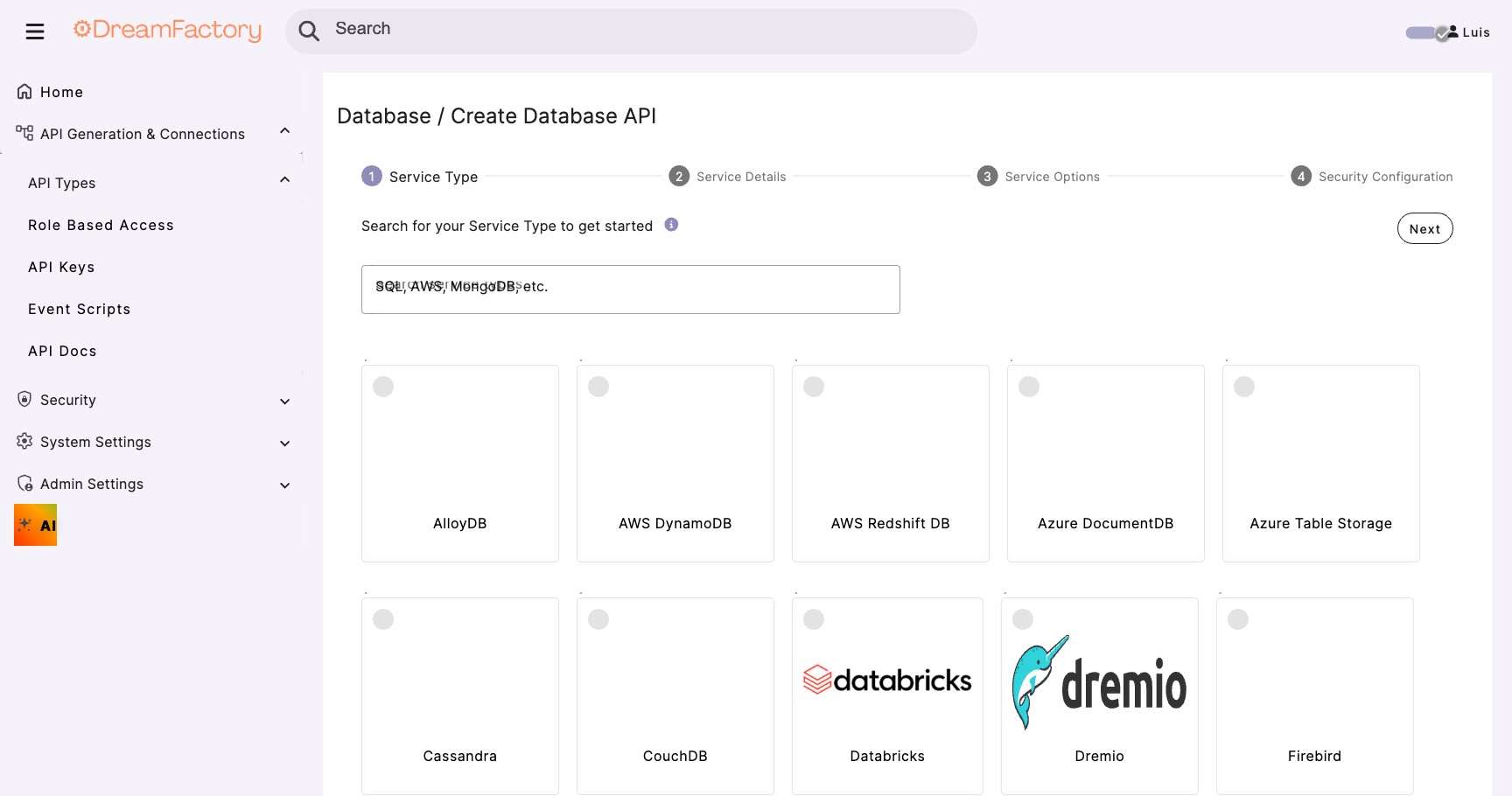
When you connect a database to DreamFactory, its AI Data Gateway automatically generates a complete REST API following all four AI-friendly principles. No code required.
What Gets Generated
| Database Object | Generated Endpoints | Operations |
|---|---|---|
| Each Table | /api/v2/{service}/_table/{name} |
GET, POST, PUT, PATCH, DELETE |
| Each View | /api/v2/{service}/_table/{view} |
GET (read-only) |
| Stored Procedures | /api/v2/{service}/_proc/{name} |
POST (execute) |
| Functions | /api/v2/{service}/_func/{name} |
GET, POST |
| Schema | /api/v2/{service}/_schema |
GET (discovery) |
Generated OpenAPI Specification
DreamFactory also generates a complete OpenAPI (Swagger) specification that AI agents can use to understand the entire API:
# Get the full OpenAPI spec for your API
GET /api/v2/api_docs

# Get OpenAPI spec for a specific service
GET /api/v2/db/api_docs
AI Agents Love OpenAPI
Many AI frameworks (including MCP servers and LangChain) can consume OpenAPI specifications directly. This means AI can discover all available endpoints, required parameters, expected response formats, and valid values without any custom integration work.
Endpoint Pattern Examples
# ================================
# READ Operations
# ================================

# Get all records (with default limit)
GET /api/v2/db/_table/products

# Get single record by ID
GET /api/v2/db/_table/products/42

# Get multiple specific records
GET /api/v2/db/_table/products?ids=1,2,3,4,5

# Get with filtering
GET /api/v2/db/_table/products?filter=category%3Delectronics

# Get specific fields only
GET /api/v2/db/_table/products?fields=id,name,price

# Get with sorting
GET /api/v2/db/_table/products?order=price%20DESC

# Get with related data
GET /api/v2/db/_table/products?related=category_by_category_id,reviews

# ================================
# CREATE Operations
# ================================

# Create single record
POST /api/v2/db/_table/products
{
  "resource": [
    {"name": "New Product", "price": 29.99, "category_id": 5}
  ]
}

# Create multiple records (batch)
POST /api/v2/db/_table/products
{
  "resource": [
    {"name": "Product A", "price": 19.99},
    {"name": "Product B", "price": 39.99}
  ]
}

# ================================
# UPDATE Operations
# ================================

# Update single record
PUT /api/v2/db/_table/products/42
{
  "name": "Updated Name",
  "price": 34.99
}

# Partial update (PATCH)
PATCH /api/v2/db/_table/products/42
{
  "price": 29.99
}

# ================================
# DELETE Operations
# ================================

# Delete single record
DELETE /api/v2/db/_table/products/42

# Delete multiple records
DELETE /api/v2/db/_table/products?ids=1,2,3
🔍 Query Parameters AI Understands
DreamFactory uses intuitive, consistently-named query parameters that AI agents can understand without documentation. Here's the complete reference.
Built-in Aggregation via MCP
When accessed through DreamFactory's MCP server, AI agents gain access to a dedicated {db}_aggregate_data tool that supports built-in aggregation functions without writing raw SQL:
| Function | Description | Example Use |
|---|---|---|
SUM | Total of a numeric column | Total revenue by region |
COUNT | Number of matching records | Orders per customer |
AVG | Average of a numeric column | Average order value |
MIN | Minimum value | Earliest order date |
MAX | Maximum value | Highest sale amount |
The aggregation tool supports GROUP BY and handles pagination internally for large datasets, so AI agents receive complete aggregated results without needing to manage multiple page requests.
Aggregation vs. Raw Data
For analytical questions ("What is total revenue by region?"), the {db}_aggregate_data MCP tool is more efficient than fetching all records and summing in the AI context. It runs the aggregation in the database and returns a compact result.
Standard REST Query Parameters
All DreamFactory REST endpoints accept these standard query parameters: filter, order, limit, offset, fields, related, and include_count. These same parameters work consistently across tables, views, and MCP tool calls.
Filter Syntax Reference
The filter parameter supports a wide range of comparison operators:
| Operator | Description | Example |
|---|---|---|
= |
Equals | filter=status=active |
!= |
Not equals | filter=status!=deleted |
> |
Greater than | filter=price>100 |
>= |
Greater than or equal | filter=quantity>=10 |
< |
Less than | filter=created_at<2026-01-01 |
<= |
Less than or equal | filter=age<=65 |
like |
Pattern match (% wildcard) | filter=name like John% |
in |
In list of values | filter=status in (active,pending) |
is null |
Is null check | filter=deleted_at is null |
AND |
Combine conditions | filter=status=active AND price>50 |
OR |
Alternative conditions | filter=status=active OR status=pending |
BETWEEN |
Range check (inclusive) | filter=price BETWEEN 10 AND 100 |
Related Data & Limits
Use the related parameter to include foreign key data in a single request. The naming convention follows the pattern {parent_table}_by_{fk_field}:
# Include related data via foreign key
?related=customer_by_customer_id

# MCP requests are capped at 1,000 records per call
# The platform default (DB_MAX_RECORDS_RETURNED) is 100,000
?limit=1000
Complex Query Example
# AI prompt: "Show me the top 10 pending orders from January 2026
# with customer details, sorted by total amount"

GET /api/v2/db/_table/orders?
  filter=status%3Dpending%20AND%20order_date%3E%3D2026-01-01%20AND%20order_date%3C2026-02-01&
  related=customer_by_customer_id&
  fields=id,order_date,total,status,customer_by_customer_id.name,customer_by_customer_id.email&
  order=total%20DESC&
  limit=10&
  include_count=true
📄 AI-Friendly Response Structures
DreamFactory responses are structured to give AI agents maximum context with minimum ambiguity. Every response follows a consistent pattern.
Standard Response Structure
{
  // The actual data - always an array
  "resource": [
    { /* record 1 */ },
    { /* record 2 */ }
  ],

  // Metadata about the response (when include_count=true)
  "meta": {
    "count": 2,          // Records in this response
    "total_count": 547,  // Total matching records
    "limit": 100,        // Applied limit
    "offset": 0          // Applied offset
  }
}
Single Record Response
{
  "id": 42,
  "first_name": "John",
  "last_name": "Doe",
  "email": "[email protected]",
  "status": "active",
  "created_at": "2026-01-15T10:30:00Z",
  "updated_at": "2026-02-01T14:22:00Z"
}
Error Response Structure
Errors include specific, actionable information that AI can use to correct its approach:
{
  "error": {
    "code": 400,
    "message": "Invalid filter syntax",
    "context": {
      "field": "filter",
      "value": "status == active",
      "hint": "Use single '=' for equality. Example: status=active"
    }
  }
}

// Another example: Invalid field name
{
  "error": {
    "code": 400,
    "message": "Field 'user_status' not found in table 'customers'",
    "context": {
      "table": "customers",
      "requested_field": "user_status",
      "available_fields": ["id", "name", "email", "status", "created_at"],
      "suggestion": "Did you mean 'status'?"
    }
  }
}
Self-Correcting AI
With detailed error messages that include available options, AI agents can self-correct. Instead of failing permanently, the AI learns from the error response and retries with the correct field name or syntax.
📈 The Code Reduction Story
One of the most compelling benefits of using DreamFactory for AI-friendly APIs is the dramatic reduction in custom code. Real enterprise deployments have seen transformational results.
The Traditional Approach
Building APIs the traditional way requires significant custom code for each endpoint:
// Just ONE endpoint in a traditional API
// Multiply this by dozens of tables...

[ApiController]
[Route("api/[controller]")]
public class CustomersController : ControllerBase
{
    private readonly ICustomerRepository _repository;
    private readonly ILogger _logger;
    private readonly IMapper _mapper;
    private readonly IValidator _validator;

    [HttpGet]
    public async Task<ActionResult<PagedResult<CustomerDto>>> GetAll(
        [FromQuery] string filter,
        [FromQuery] string sort,
        [FromQuery] int page = 1,
        [FromQuery] int pageSize = 50)
    {
        // Parse filter expression
        var filterExpression = FilterParser.Parse(filter);

        // Validate filter fields
        var validationResult = _validator.ValidateFilter(filterExpression);
        if (!validationResult.IsValid)
            return BadRequest(validationResult.Errors);

        // Build query
        var query = _repository.Query()
            .ApplyFilter(filterExpression)
            .ApplySort(sort)
            .Skip((page - 1) * pageSize)
            .Take(pageSize);

        // Execute and map
        var results = await query.ToListAsync();
        var total = await _repository.CountAsync(filterExpression);
        var dtos = _mapper.Map<List<CustomerDto>>(results);

        // Return paged result
        return Ok(new PagedResult<CustomerDto>
        {
            Data = dtos,
            Page = page,
            PageSize = pageSize,
            TotalCount = total
        });
    }

    // ... hundreds more lines for POST, PUT, DELETE, related data, etc.
}
The DreamFactory Approach
With DreamFactory, you configure the connection and get all endpoints automatically:
{
  "name": "enterprise_db",
  "type": "sql_server",
  "config": {
    "host": "sql.company.com",
    "database": "production",
    "username": "${env.DB_USER}",
    "password": "${env.DB_PASS}"
  }
}

// That's it. DreamFactory now provides:
// - REST endpoints for ALL tables
// - Full CRUD operations
// - Filtering, sorting, pagination
// - Related data loading
// - Schema discovery
// - OpenAPI documentation
// - Role-based access control
Code Reduction Benefits
Less Code to Maintain
No custom controllers, repositories, DTOs, or mappers for each table.
Faster Time-to-Market
New tables are instantly available as API endpoints. No development cycle.
Fewer Bugs
Battle-tested DreamFactory code vs. custom code with edge cases.
Lower Costs
Less development time, less testing, less documentation to write.
Keep Your Business Logic
DreamFactory doesn't replace your business logic; it replaces the boilerplate. Use stored procedures (Module 04) for complex operations that require business rules, and let DreamFactory handle the CRUD plumbing.
✅ Best Practices
API Design Checklist
Before Deploying Your API for AI
- Naming: All endpoints and fields use full, descriptive words (not abbreviations)
- Documentation: OpenAPI spec is generated and accessible
- Limits: Default and maximum limits are configured for all endpoints
- Schema: Schema endpoints are enabled for AI discovery
- Relationships: Foreign keys are defined so
relatedparameter works - Errors: Error responses include actionable details and valid options
- Testing: Tested with actual AI prompts to verify usability
Performance Tips
| Tip | Why It Matters for AI |
|---|---|
Always use fields parameter |
Reduces response size, faster processing, less token usage |
Set reasonable limit defaults |
Prevents context window overflow |
| Index columns used in filters | AI queries often use the same patterns repeatedly |
Use include_count strategically |
COUNT queries add overhead; only use when pagination needed |
| Cache schema responses | Schema rarely changes; AI may query it frequently |
Security Considerations
AI + API Security
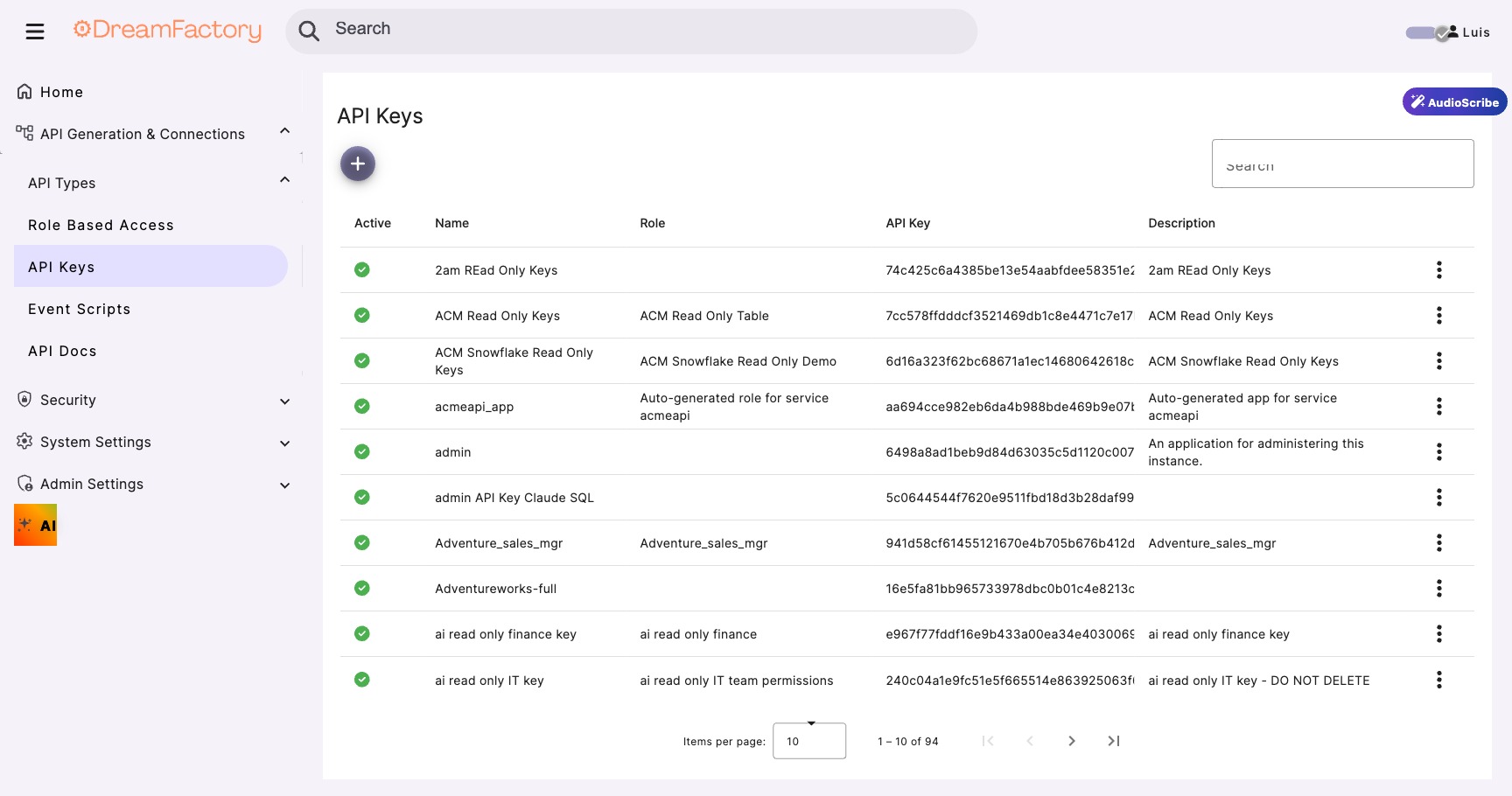
AI agents can be manipulated through prompt injection. Always use role-based access control (Module 03) to limit what data an AI can access. Never give AI agents admin-level API access. Use the principle of least privilege.
- Use identity passthrough (Module 05) so queries run as the user, not a service account
- Define read-only roles for AI that only needs to query data
- Exclude sensitive tables from AI-accessible services
- Enable audit logging to track AI-initiated queries
- Set rate limits to prevent AI loops from overwhelming the API
🔧 Troubleshooting
AI Hallucinates Non-Existent Endpoints
Symptom: AI tries to call /api/users/search or /api/findUserByEmail
Cause: AI is guessing endpoint patterns based on common conventions
Fix: Provide the OpenAPI spec to the AI context. This gives it the exact endpoint list. In MCP configurations, set the API spec URL so the AI can discover real endpoints.
Context Window Overflow
Symptom: AI responses are truncated or the AI crashes/times out
Cause: Query returned too many records, exceeding context limits
Fix: Enforce lower limits. Set system-wide default limit to 100. For large tables, require filters. Use include_count=true so AI knows the scope before fetching all data.
AI Uses Wrong Filter Syntax
Symptom: AI constructs filters like status == 'active' or WHERE status = 'active'
Cause: AI is using SQL or programming language syntax instead of DreamFactory syntax
Fix: Include filter syntax examples in AI context. The error response should include the correct syntax. Example: filter=status=active (single equals, no quotes for simple values).
Related Data Not Loading
Symptom: AI requests ?related=orders but response doesn't include orders
Cause: Foreign key relationship not defined or wrong relationship name
Fix: Check schema endpoint for correct relationship names. DreamFactory names relationships as {table}_by_{foreign_key}. Use schema discovery: GET /api/v2/db/_schema/customers to see exact names.
Slow Queries from AI
Symptom: AI-generated queries take 10+ seconds to return
Cause: Missing indexes on filtered columns, or unoptimized AI query patterns
Fix: Monitor which filters AI uses most. Add database indexes for commonly filtered columns. Consider creating database views for complex AI query patterns.
Debugging AI API Interactions
# Check what tables are available
GET /api/v2/db/_table

# Check schema for a specific table
GET /api/v2/db/_schema/customers

# Check available relationships
GET /api/v2/db/_schema/customers?related=true

# Test filter syntax with minimal data
GET /api/v2/db/_table/customers?filter=id=1&fields=id

# Get OpenAPI spec for reference
GET /api/v2/db/api_docs