Securely Chat with Your Data
Connect ChatGPT, Claude, Cursor, or any AI agent to your enterprise database through DreamFactory, with full access controls and audit logging. No code required.
💬 Overview
This module shows you how to connect any AI agent (ChatGPT, Claude, Cursor, Copilot, or a custom tool) to your enterprise database through DreamFactory. Once connected, anyone in your organization can ask plain English questions about company data and get instant answers.
No SQL knowledge. No code. No waiting for a data analyst to run a report. Just open your AI agent, ask a question, and get the data you need.
What You'll Build
By the end of this guide, you'll have:
- A DreamFactory MCP service connected to your database
- OAuth-based authentication for secure AI agent access
- An AI agent (ChatGPT, Claude, Cursor, etc.) querying live enterprise data
- RBAC policies controlling exactly which data the AI can access
- Full audit logging of every query the AI makes
Watch the CTO Demo
DreamFactory CTO Kevin McGahey walks through this exact workflow in a 12-minute video, going from zero to querying a live sales database with ChatGPT. Watch the demo →
Who This Is For
- Business users who want to query company data without SQL
- IT administrators setting up secure AI access to databases
- Data teams looking to democratize access to reports and metrics
- Developers evaluating AI-to-database integration patterns
📧 The Scenario
Your CEO sends an email:
"I need a breakdown of our customer data by region. Which regions have the most customers? What does our sales pipeline look like? I need this for a board meeting tomorrow."
Normally, this triggers a chain: you email the data team, they write SQL queries, pull the data into a spreadsheet, format it, and send it back. That takes hours, maybe days.
With DreamFactory and an AI agent, the answer takes about 30 seconds:
- Open ChatGPT (or Claude, Cursor, or any AI agent)
- Ask: "Show me a breakdown of customers by region"
- Get a formatted table with the data, pulled live from your database
- Follow up: "Which of those regions had the most sales last quarter?"
- Get the refined answer instantly
The AI never touches your database directly. Every query flows through DreamFactory's security layer, which enforces access controls, logs every request, and rate-limits usage.
🏗️ How It Works
The architecture has three layers. The AI agent never connects directly to your database. DreamFactory sits in the middle, acting as an AI Data Gateway.
What the AI Data Gateway Does
| Layer | Function | Details |
|---|---|---|
| Authentication | Verify AI agent identity | OAuth 2.0 tokens, API keys, or session-based auth |
| Authorization | Enforce data access policies | Role-based access control (RBAC) per table, column, and row |
| Query Translation | Convert natural language to SQL | AI agent writes queries; DreamFactory validates and executes |
| Rate Limiting | Prevent abuse | Configurable limits per user, role, or service |
| Audit Logging | Record every interaction | Full request/response logging with timestamps and user IDs |
Why Not Connect AI Directly to Your Database?
Without a security layer, an AI agent with direct database access could execute arbitrary SQL, including DROP TABLE or SELECT * on sensitive data. DreamFactory ensures every query is validated against your access policies before execution.
1 Create an MCP Service
Enable the MCP Server in DreamFactory
DreamFactory 7.4+ includes a built-in MCP (Model Context Protocol) server. MCP is the standard protocol that AI agents use to discover and interact with external tools, in this case your database.
Navigate to Services > Create > MCP in your DreamFactory admin panel:
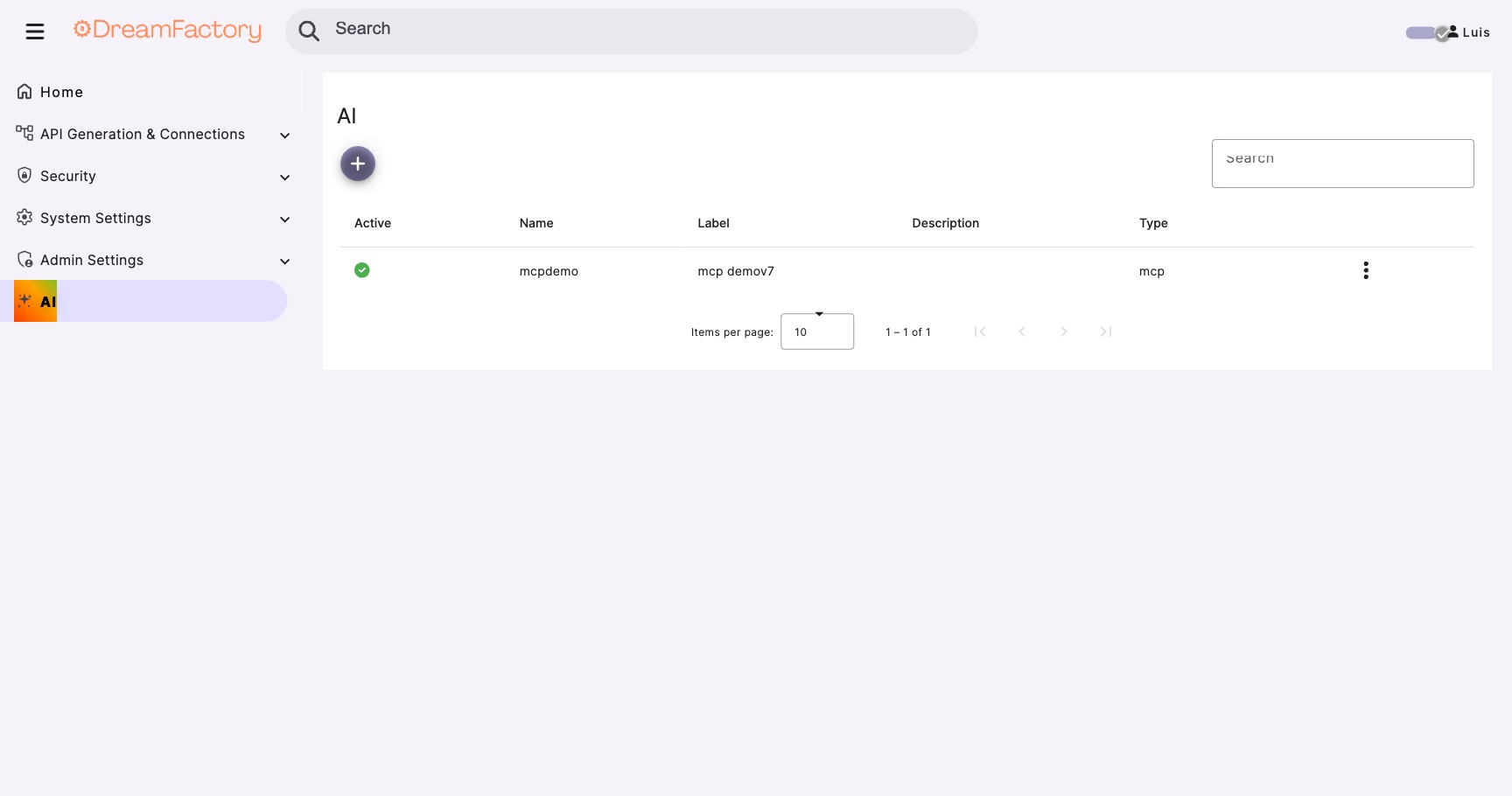
Configure the service:
- Service Name: Choose a descriptive name (e.g.,
sales-data-mcp) - Label: Human-readable label for the admin panel
- Description: Brief description of what data this service exposes
- Active: Toggle on to enable the service
What is MCP?
Model Context Protocol (MCP) is an open standard that lets AI agents discover and use external tools. Think of it like USB for AI, a universal connector. DreamFactory's MCP server exposes your database tables as well as file storage services (S3, Azure Blob, SFTP) as tools that any MCP-compatible AI can use. For a deep dive into MCP, see Module 02.
2 Configure Your Database Connection
Connect DreamFactory to Your Database
If you haven't already connected a database to DreamFactory, go to Services > Create > Database and add your connection.
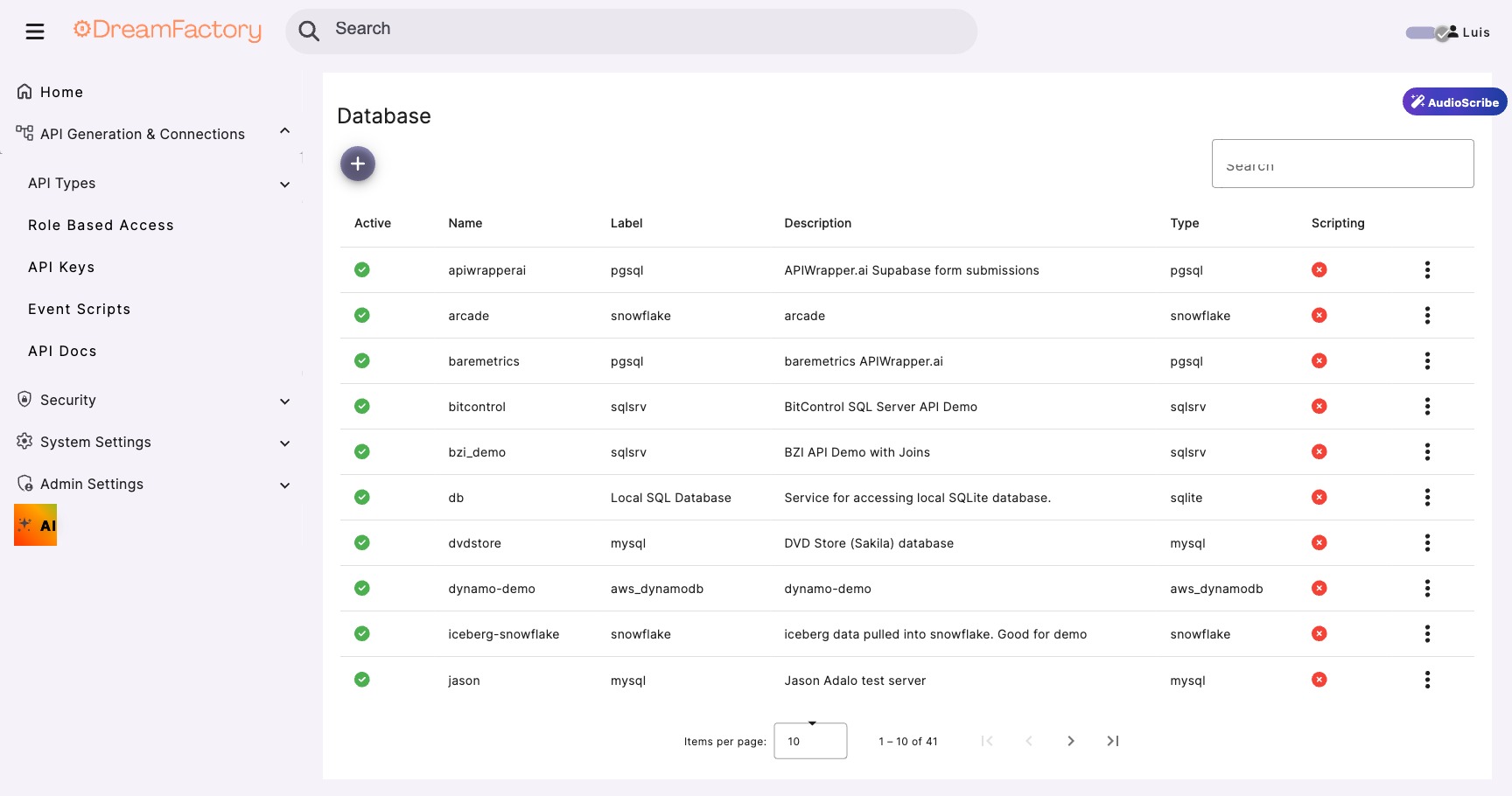
DreamFactory supports all major databases:
| Database | Connection Type | Notes |
|---|---|---|
| SQL Databases | ||
| MySQL / MariaDB | Native driver | Most common for web apps |
| PostgreSQL | Native driver | Advanced features, JSON support |
| SQL Server | Native driver | Enterprise standard, Active Directory integration |
| Oracle | OCI driver | Enterprise, requires Oracle client |
| SQLite | File-based | Great for demos and prototyping |
| IBM DB2 / Firebird | Native driver | Legacy enterprise databases |
| NoSQL Databases | ||
| MongoDB | Native driver | NoSQL document store |
| DynamoDB | AWS SDK | AWS managed NoSQL, key-value and document |
| Cassandra / CouchDB | Native driver | Distributed NoSQL stores |
| Cloud / Data Warehouse | ||
| Snowflake | ODBC/Native | Cloud data warehouse, analytics workloads |
| AWS Redshift | PostgreSQL wire protocol | AWS columnar data warehouse |
| SAP HANA | ODBC driver | In-memory enterprise platform |
| Databricks | ODBC/JDBC | Lakehouse analytics platform |
| Azure SQL | Native driver | Azure-managed SQL Server |
Once connected, DreamFactory auto-discovers your schema (tables, columns, relationships). The MCP service will expose these as tools that your AI agent can use. Beyond databases, DreamFactory can also expose file storage services (such as S3, Azure Blob, and SFTP) through MCP, giving your AI agent access to documents and files alongside structured data.
Already Have a Database Service?
If you've already set up a database service in DreamFactory (e.g., from Module 08), you can reuse it. The MCP service connects to your existing database services, so there is no need to reconfigure.
3 Set Up Authentication
Configure OAuth for AI Agent Access
Your AI agent needs credentials to authenticate with DreamFactory. The recommended approach is OAuth 2.0, which gives you token-based access with expiration and revocation.
Create a Role for AI Access
First, create a role that defines what data the AI agent can see. Navigate to Roles in the admin panel:
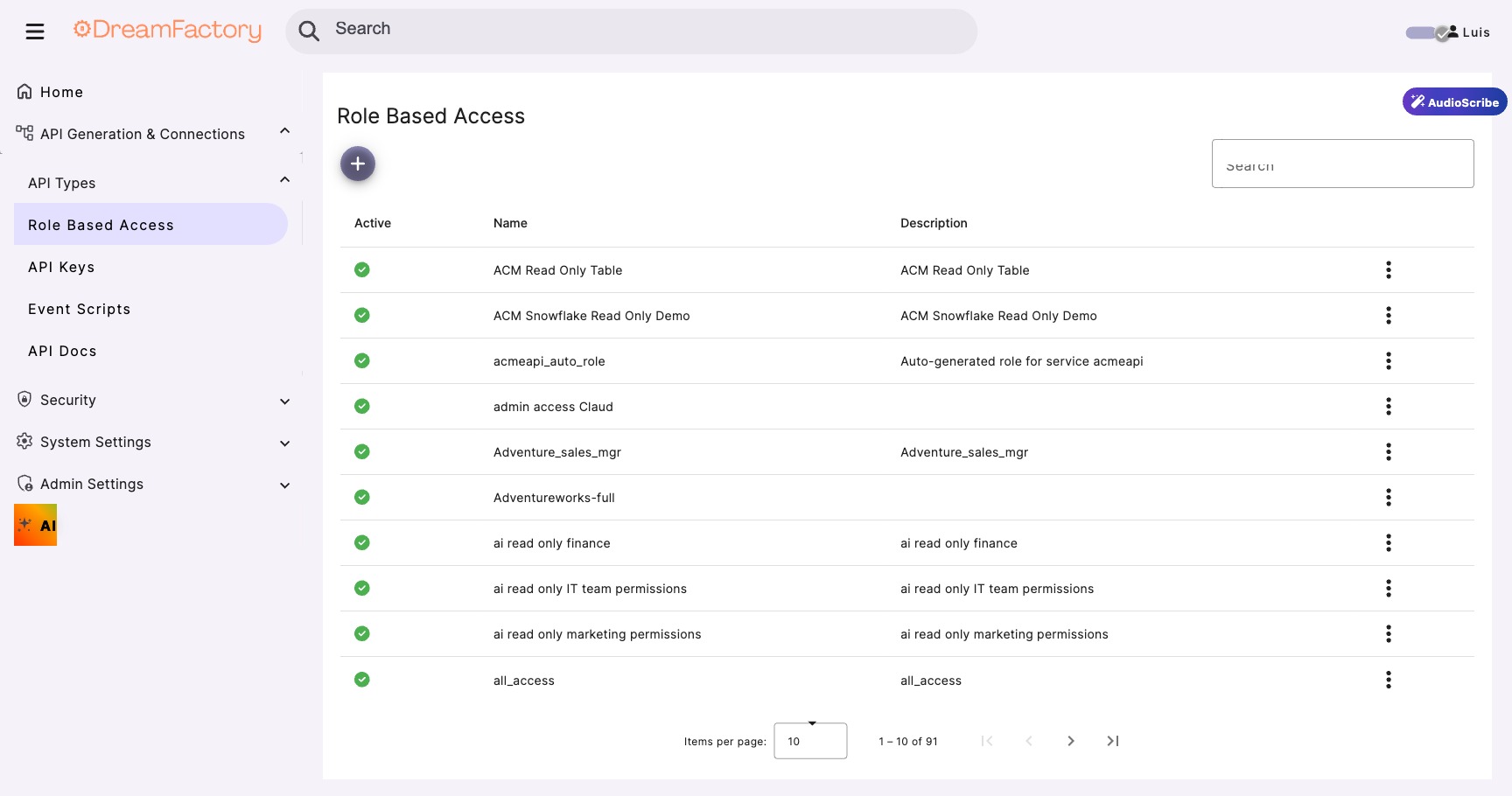
Best practices for AI agent roles:
- Read-only access: AI agents should never be able to INSERT, UPDATE, or DELETE
- Table filtering: Only expose the tables relevant to the use case
- Column masking: Hide sensitive columns (SSN, credit card numbers, etc.)
- Row-level filtering: Restrict data by business unit, region, or user context
Generate OAuth Credentials
Create an API key and assign it to the AI role. The AI agent will use this key to authenticate via OAuth:
# 1. AI agent requests access token
POST /oauth/token
{
  "grant_type": "client_credentials",
  "client_id": "your-ai-agent-client-id",
  "client_secret": "your-client-secret"
}

# 2. DreamFactory returns a scoped token
{
  "access_token": "eyJhbGciOiJSUzI1NiIs...",
  "token_type": "Bearer",
  "expires_in": 3600
}

# 3. AI agent uses token for MCP requests
# Token inherits the role's access policies
Never Use Admin Credentials for AI Agents
Always create a dedicated role with minimal permissions. Admin credentials give the AI unrestricted access to every table and operation, which is a serious security risk.
4 Connect Your AI Agent
Point Your AI Agent at DreamFactory
The final step is connecting your AI agent to the DreamFactory MCP endpoint. You'll need the MCP server URL and OAuth credentials from your DreamFactory configuration:
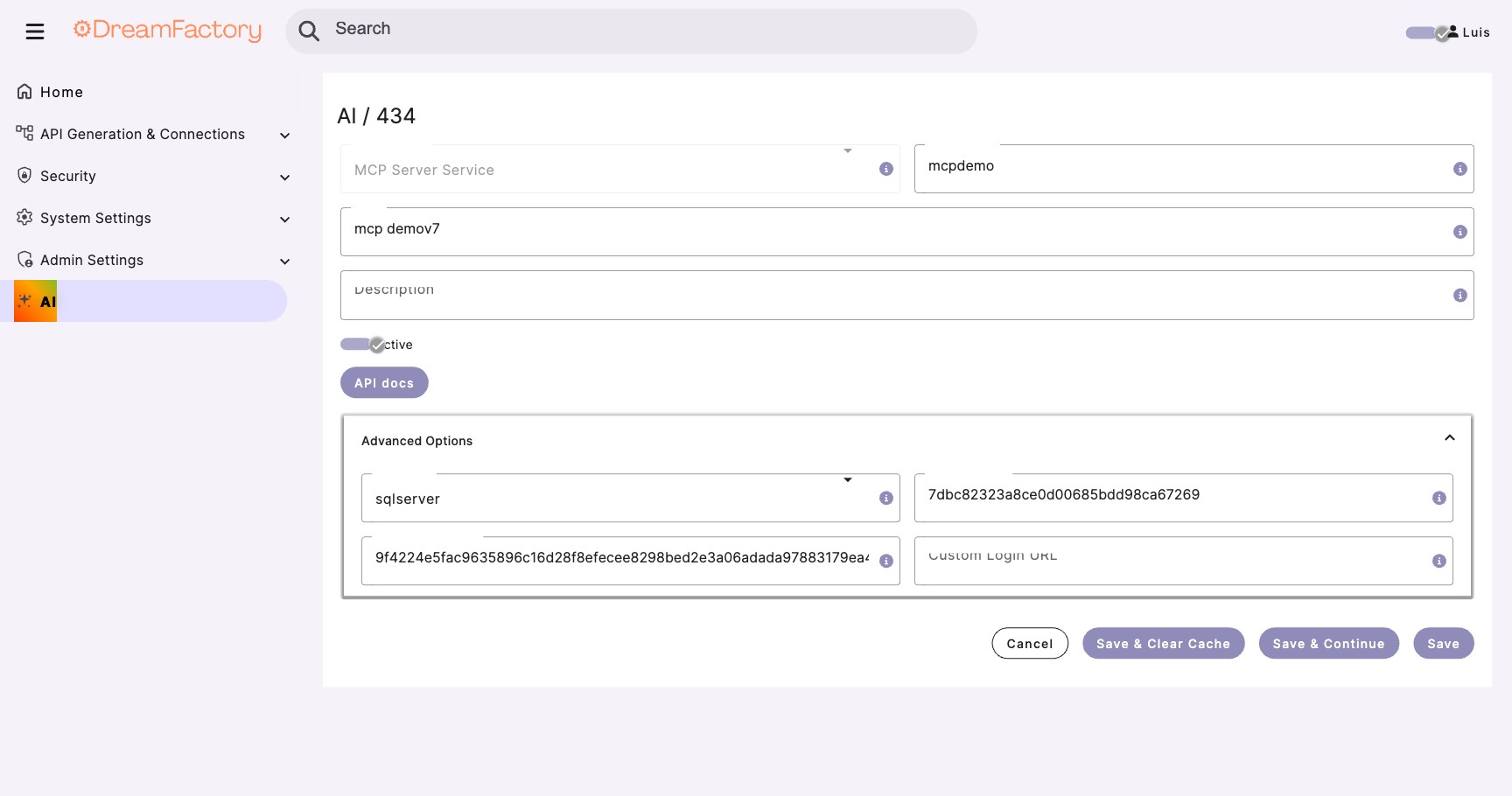
The exact connection steps depend on your AI agent:
ChatGPT (Custom GPTs)
In the GPT Builder, add your DreamFactory instance as an MCP server action. ChatGPT will automatically discover the available tools (your database tables) and use them to answer questions.
Claude Desktop
Add the MCP server to your Claude Desktop configuration:
{
  "mcpServers": {
    "dreamfactory-sales": {
      "url": "https://your-instance.dreamfactory.com/mcp/my-ai-service",
      "auth": {
        "type": "oauth2",
        "client_id": "your-client-id",
        "client_secret": "your-client-secret"
      }
    }
  }
}
Any MCP-Compatible Agent
Any tool that supports MCP can connect to DreamFactory. The MCP protocol is standardized, so your DreamFactory endpoint works the same way regardless of which AI agent connects to it.
Setup Complete!
Your AI agent is now connected to your database through DreamFactory. Every query is authenticated, authorized, and logged. Try asking a question about your data.
Official Documentation
For the latest MCP connection instructions, see the official MCP Server documentation.
🔍 Your First Query
With everything connected, open your AI agent and ask a natural language question about your data. Here's what a typical conversation looks like:
You:    How many customers do we have in each region?

AI:     I'll query the customers table grouped by region.

         | Region        | Customer Count |
         |---------------|---------------|
         | North America | 1,247         |
         | Europe        | 893           |
         | Asia Pacific  | 634           |
         | Latin America | 412           |
         | Middle East   | 198           |

         You have 3,384 total customers across 5 regions.
         North America leads with 36.8% of all customers.
The AI agent translated your plain English question into a SQL query, sent it through DreamFactory (which validated it against your access policies), and returned the results in a readable format.
What Happened Behind the Scenes
🔄 Refining Results Through Conversation
The real power of chatting with your data is the ability to refine. You don't get a static report; you have a conversation. Each follow-up question narrows the results further.
# Query 1: Broad overview
You:    Show me all customers

AI:     Found 134 customers across the database.

# Query 2: Filter by activity
You:    Which of those have active subscriptions?

AI:     89 customers have active subscriptions.

# Query 3: Focus on high value
You:    Show me the ones with annual revenue over $100K

AI:     32 customers with active subscriptions
         and annual revenue exceeding $100,000.

# Query 4: Actionable insight
You:    Sort by renewal date - which ones renew this quarter?

AI:     8 high-value customers renewing in Q1:
         [detailed table with names, revenue, renewal dates]
In four conversational turns, you went from 134 customers to 8 actionable renewal opportunities, information that would have taken a data analyst hours to compile into a report.
134 → 32
Progressive narrowing from broad overview to targeted results
~30 Seconds
Total time for four queries vs. hours for a manual report
100% Governed
Every query validated against RBAC policies and logged
🛡️ Security Controls
Security isn't a bolt-on feature; it's the core reason DreamFactory exists in this architecture. Here's how every query is protected:
Role-Based Access Control (RBAC)
DreamFactory's RBAC system controls exactly what data the AI agent can access:
| Control | What It Does | Example |
|---|---|---|
| Service Access | Which database services are available | AI can access sales_db but not hr_db |
| Table Filtering | Which tables within a service | AI can read customers and orders, not employee_salaries |
| Column Masking | Which columns are visible | AI sees customer_name but not ssn or credit_card |
| Row Filtering | Which rows are returned | AI only sees customers in assigned regions |
| Verb Restriction | Which operations are allowed | AI can GET (read) but not POST, PUT, DELETE |
Audit Logging
Every request the AI agent makes is logged with:
- Timestamp and request ID
- Authenticated user/role identity
- The exact query executed
- Response data summary (row count, columns returned)
- Execution time and status code
Compliance Ready
DreamFactory's audit logs provide the paper trail you need for SOC 2, HIPAA, GDPR, and other compliance frameworks. You can prove exactly what data the AI accessed, when, and under whose authority.
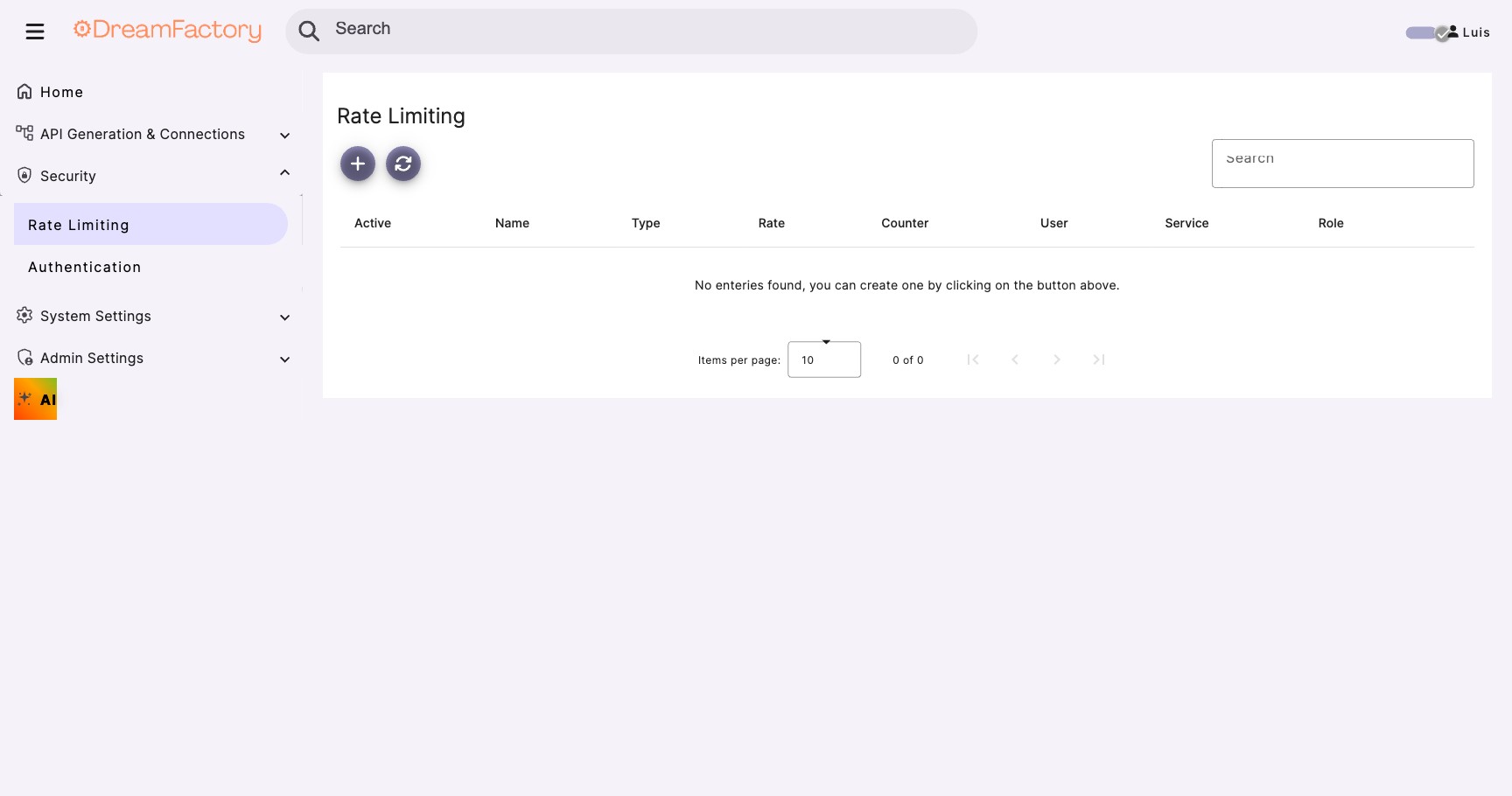
Rate Limiting
Prevent AI agents from overwhelming your database with too many requests:
- Per-role limits: Set maximum requests per minute/hour for AI agent roles
- Per-service limits: Cap the load on specific database services
- Burst protection: Prevent sudden spikes from runaway AI loops
✅ Best Practices
Security
- Least privilege: Give AI agents the minimum access they need: read-only, specific tables only
- Separate roles per use case: Create distinct roles for sales analytics, customer support, finance, etc.
- Rotate credentials: Use short-lived OAuth tokens and rotate client secrets regularly
- Monitor audit logs: Review AI query patterns weekly to catch anomalies
Performance
- Limit result sets: Configure maximum row counts to prevent the AI from pulling entire tables
- Use views or stored procedures: Pre-aggregate complex data so the AI doesn't need to join many tables (Module 04 covers stored procedures)
- Index frequently queried columns: If the AI often filters by region or date, ensure those columns are indexed
- Cache common queries: DreamFactory's caching layer reduces repeated database hits
User Experience
- Describe your data clearly: Table and column names should be human-readable (the AI uses them for context)
- Provide table descriptions: DreamFactory lets you add descriptions to services and tables, and the AI reads these to understand your schema
- Start broad, then refine: Encourage users to ask overview questions first, then drill down
🔧 Troubleshooting
Common Issues
| Problem | Likely Cause | Solution |
|---|---|---|
| AI agent can't connect | MCP service not active or OAuth misconfigured | Verify the MCP service is active in DreamFactory admin. Check OAuth client ID/secret. |
| AI returns "access denied" | Role doesn't have permission for the requested table | Check the role's service access and table permissions in DreamFactory. |
| AI returns empty results | Row-level filter is too restrictive | Review the role's row-level security filters. The AI can only see rows that match the filter. |
| AI queries are slow | Missing indexes or large unfiltered result sets | Add database indexes on frequently queried columns. Set max row limits in the role config. |
| AI hallucinates data | AI couldn't find the data and guessed | Ensure table descriptions are clear. Verify the AI actually queried DreamFactory (check audit logs). |
Getting Help
- DreamFactory Docs: dreamfactory.com/docs
- Community Forum: community.dreamfactory.com
- Next Module: Module 02: Setting Up Your MCP Server covers connecting AI agents to DreamFactory through the Model Context Protocol
🎬 Watch the Full Demo
DreamFactory CTO Kevin McGahey demonstrates everything in this module, from setup to live queries, in under 12 minutes.